If you’ve ever wondered how to calculate age from date of birth accurately for work, study, or everyday use, you’re in the right place. Whether you’re updating customer records, managing HR data, or just checking your own birthday stats, learning to calculate age correctly ensures precision and saves time. From manual formulas to Excel and online tools, this guide explains the logic behind age calculation, common pitfalls, and professional techniques to apply in real situations.

Understanding the Concept of Age Calculation
Age calculation is simply determining how many full years have passed since a person’s date of birth up until today or another reference date. Although it sounds easy, handling real date formats and leap years isn’t always straightforward. Depending on your method—manual, in Excel, or via a tool—results can vary slightly based on how each system interprets dates. That’s why learning the right process matters, especially if you need exact and consistent outcomes.
Manual Calculation Method
To calculate age manually, start by identifying the current date and the date of birth. Subtract the birth year from the current year. If the current month and day fall before the birthday for this year, subtract one additional year from the total.
For example:
If someone was born on June 15, 1990, and today’s date is January 12, 2026, simply subtract 1990 from 2026 to get 36. However, since the current date is before June 15, the person hasn’t yet turned 36, so the correct age is 35. This logical check ensures your calculation reflects the exact timing correctly.
How to Calculate Age from Date of Birth in Excel
Excel offers an automatic way to handle date differences accurately. Use the function:=DATEDIF(A2, TODAY(), "Y")
Here, A2 holds the date of birth, and the formula calculates full years between that date and today’s date. You can also extend this formula to display years, months, and days like this:=DATEDIF(A2, TODAY(), "Y") & " Years, " & DATEDIF(A2, TODAY(), "YM") & " Months"
This version gives you a detailed format and updates daily without manual intervention.
Another approach uses the YEARFRAC function:=INT(YEARFRAC(A2, TODAY()))
YEARFRAC calculates the fraction of the year between two dates and converts it into complete years. It’s perfect when you just need to display age as a rounded number.
Using Online Age Calculators
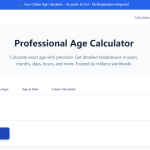
If you prefer not to open spreadsheets, sites like youragecalculator.com make it effortless. You simply enter your date of birth and, optionally, another date for comparison. The tool instantly shows your exact age in years, months, and days. These calculators handle leap years and varied date formats automatically, providing error-free results suitable for both casual and professional use.
Common Mistakes to Avoid
Many users forget to format dates correctly before performing age calculations. Remember that Excel and most online calculators require recognized date formats such as YYYY-MM-DD or DD/MM/YYYY. Using incomplete or text-based entries can lead to invalid results. Another common error is ignoring local time zones or leap years, which can slightly affect the age outcome when comparing dates across systems. Always check your date format and reference year alignment before trusting your calculation.
Real-World Applications
Learning how to calculate age from date of birth has practical uses in various fields. HR departments use it to verify employee eligibility for benefits or retirement. Healthcare professionals calculate patient ages to determine dosage or treatment categories. Schools and organizations rely on accurate age data to manage enrollment or membership records. Even marketers analyze customer age groups to tailor campaigns effectively.
Why Automation and Accuracy Matter
Using formulas or calculators not only saves time but reduces human errors significantly. Automated systems keep your data consistent, automatically adjusting as dates change. It’s also vital for compliance and record‑keeping—incorrect age data can lead to misunderstandings or even policy violations in regulated industries. By mastering both manual and digital methods, you gain confidence in your data’s reliability.
Knowing precisely how to calculate age from date of birth is an essential skill in everyday data management. Whether you choose manual methods, Excel formulas, or online tools, understanding the logic behind each helps you produce accurate and meaningful results. Remember to double-check your date formats, consider leap years, and choose tools that fit your workflow best. For quick, reliable, and error‑free calculations, visit youragecalculator.com, where you can instantly find your age and explore advanced date‑difference features designed to make life simpler and more organized.