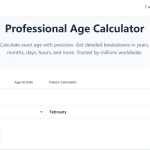
If you’ve ever paused for a moment wondering how to calculate your age accurately, you’re not alone. Whether you need it for an important document, online registration, or simply curiosity, age calculation is surprisingly useful. Instead of getting stuck doing mental math, you can visit Your Age Calculator — a quick, reliable tool that gives your exact age in years, months, and days instantly. But how does it actually work? Let’s break down the logic behind calculating your age, step by step, so you understand not just the result but also the reasoning.

What Does “Calculating Age” Really Mean?
Age is simply the difference between your birth date and the current date. In other words, it’s how much time has passed since the day you were born. This might sound straightforward, but getting a precise calculation requires understanding how years, months, and days interact — including leap years and date transitions across different months.
When learning how to calculate your age, people often assume it’s just “current year minus birth year.” That works for rough estimates but fails when months and days haven’t reached your birthday yet. A proper calculation uses date‑based differences to ensure accuracy to the very day.
The Manual Formula for Calculating Your Age
Let’s say you were born on March 10, 1995, and today’s date is January 15, 2026.
- Start by subtracting the birth year from the current year:
- 2026 − 1995 = 31 years.
- Now check if your birthday has occurred yet this year. Since January is before March, your 2026 birthday hasn’t happened yet, so subtract one year.
- 31 − 1 = 30 years.
- For months and days, count the time from your last birthday until today.
- From March 10, 2025, to January 15, 2026, that’s 10 months and 5 days.
So the precise age is 30 years, 10 months, and 5 days.
That’s exactly what an intelligent calculator like Your Age Calculator does automatically—it applies this logic instantly so you don’t need to do any math yourself.
The Modern Way – Use an Online Age Calculator
Online calculators simplify this process using real‑time date comparison and built‑in leap‑year logic. They read both dates (birth and current), adjust for months shorter or longer than 30 days, and present the final answer as years, months, and days.
How does it help?
- It saves time for official forms or applications.
- It improves accuracy, especially for people born on edge cases such as February 29th.
- It can also be used to calculate age differences between two people or events.
For example, if you want to know the exact age gap between two siblings or your favorite celebrity’s age today, just input both dates, and the tool shows the precise result.
Why Knowing How to Calculate Your Age Matters
Understanding the process helps you in more ways than just documentation. It’s useful when determining eligibility for age‑restricted events, retirement plans, insurance policies, or fitness brackets. Many institutions require proof of age or sometimes even exact age in days for health research or official reports.
Professionally, HR departments, teachers, and health professionals often rely on accurate age calculation when managing participant data or assessing developmental stages. Being familiar with how it works ensures you verify automated results correctly.
Common Mistakes When Calculating Age
- Ignoring Leap Years: Every fourth year adds an extra day in February, which some quick manual calculations forget.
- Not Counting Months Properly: Subtracting years only gives rough results; exact calculation needs to account for current date position relative to birth date.
- Using Approximate Dates: Sometimes people round down or up to the nearest year, which causes errors in legal or medical documentation.
A reliable age calculator integrates all of these nuances so your numbers stay consistent.
Bonus Tip: Calculating Age in Excel
If you prefer doing it manually through Excel, you can use a simple formula:=DATEDIF(BirthDate, TODAY(), "Y")
This gives the age in full years. To get months and days, you can extend the formula using "YM" for months and "MD" for days.
For example:=DATEDIF(BirthDate, TODAY(), "Y") & " Years, " & DATEDIF(BirthDate, TODAY(), "YM") & " Months, " & DATEDIF(BirthDate, TODAY(), "MD") & " Days"
It’s the same logic applied digitally.
Learning how to calculate your age precisely is more than a casual skill — it’s a little piece of numerical logic that makes paperwork, time tracking, and even fitness planning easier. Whether you’re checking your biological milestones or preparing for an age‑restricted event, understanding the calculation process helps you stay accurate and confident.
If you want to skip the math and get exact results instantly, check out Your Age Calculator. It uses advanced date logic and leap‑year adjustments to deliver your real age down to the last day. Give it a try and find out your true age right now — it’s fast, accurate, and surprisingly satisfying.